
Tools · Beta
Build order overlay
Stop alt-tabbing to check a build. This little app keeps the steps, food counts and clock on top of the game. Beta: expect rough edges, and tell us about them.
Latest release v0.4.1
Floats over the game
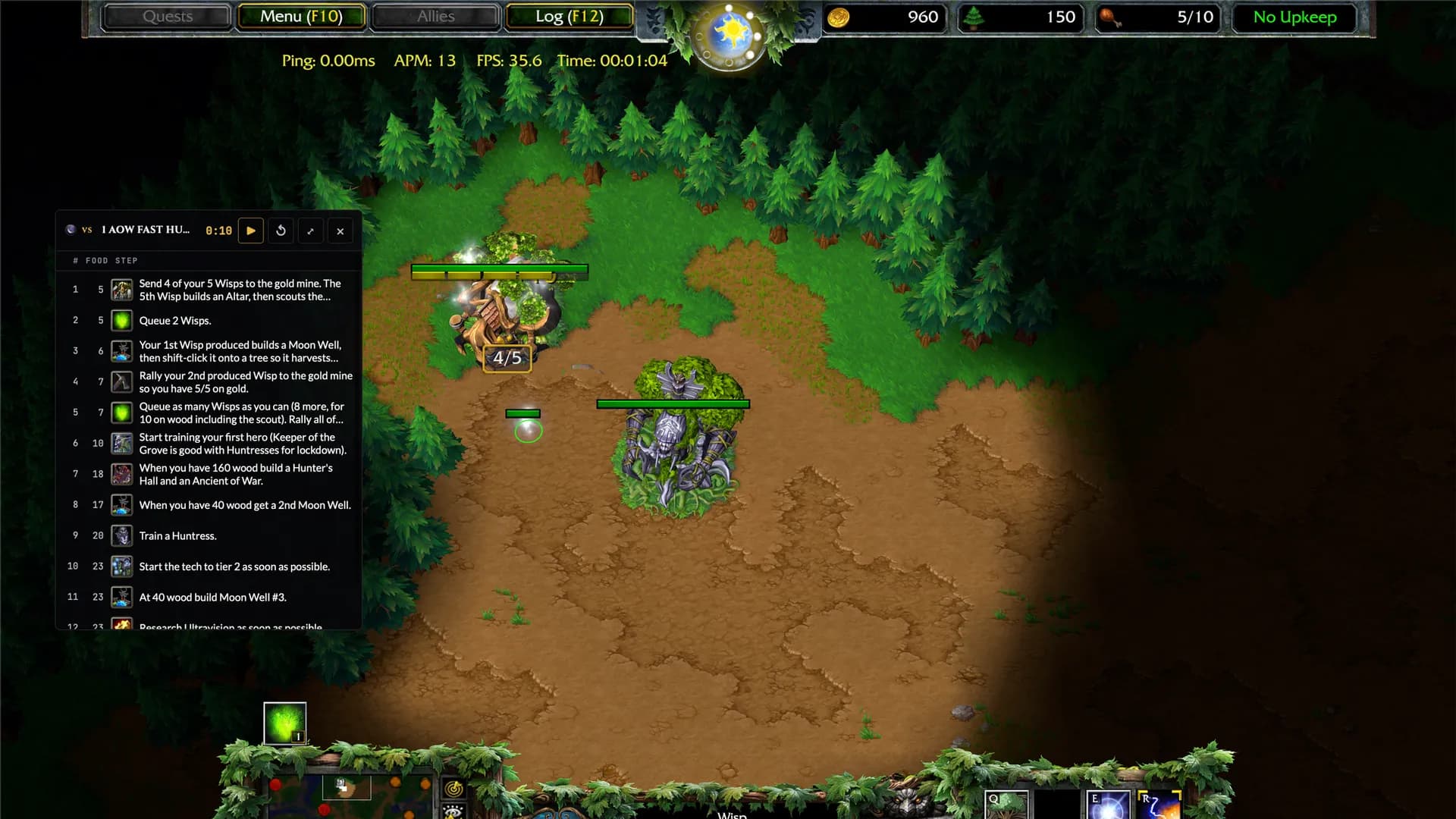
A transparent, always-on-top panel with the steps, food count and clock. Drag it wherever it does not get in the way.
Hands stay on the keyboard
Global shortcuts toggle the panel, start the clock and jump between steps without alt-tabbing.
Any build, yours included
Every build on the site, synced on its own. Write your own private builds, or make one from a replay or a W3Champions match.
Get started
- 1
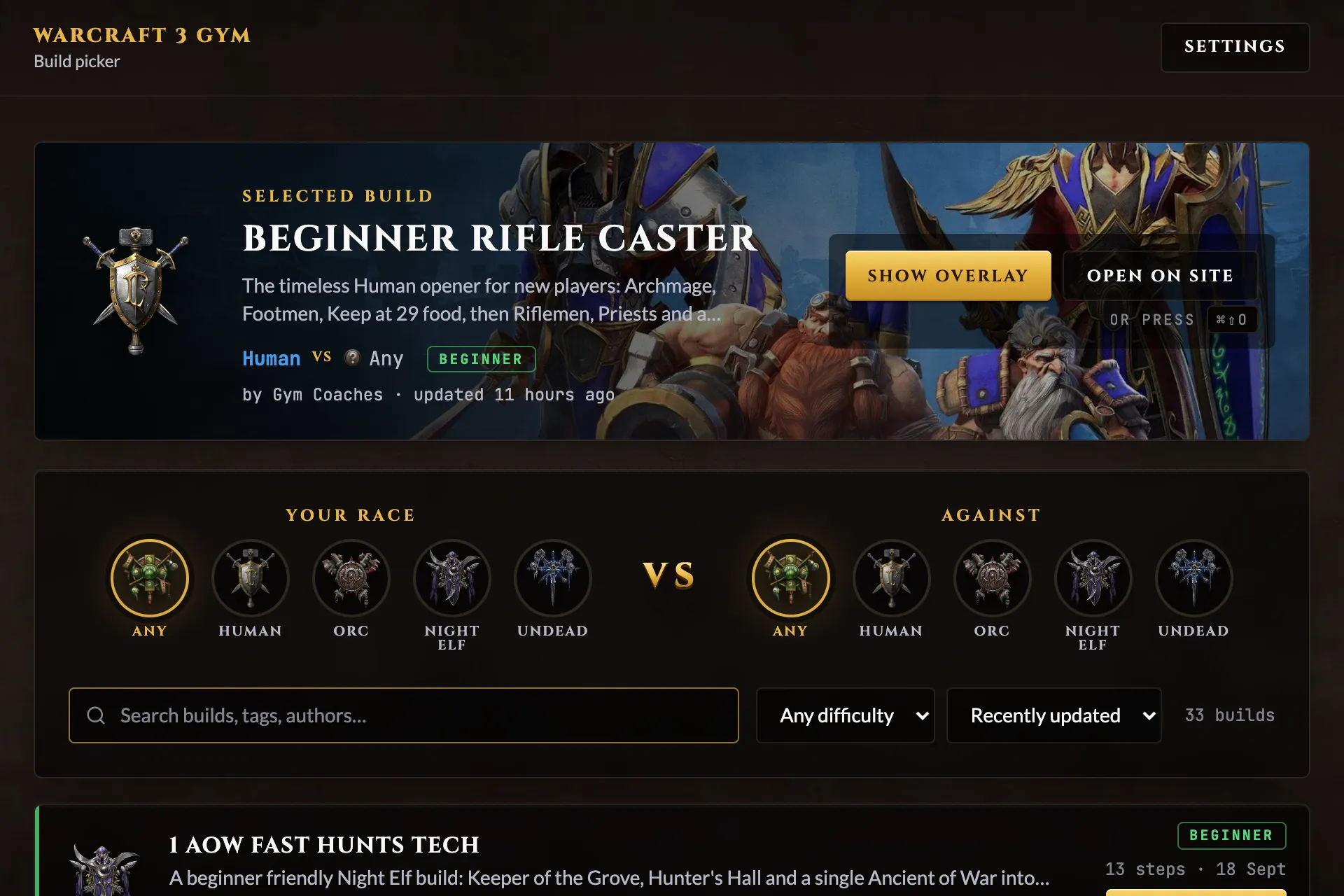
Install the app and open it. The picker window lists every build on the site.
- 2
Pick a build and click Show overlay, or press the toggle shortcut. The panel floats on top of the game.
- 3
Run Warcraft III in windowed or borderless mode. Exclusive fullscreen hides every other window, including the overlay.
- 4
At the match's 0:00, press play. The current step highlights as the clock runs; use next and previous if it drifts.
Before you install
- · Windows 10/11 (Windows 10 needs the WebView2 runtime once) or macOS 12+.
- · Not code-signed yet: Windows shows a SmartScreen prompt (More info, Run anyway); on macOS right-click the app and choose Open the first time.
- · The portable exe needs no install and no admin rights.
Going further
Shortcuts
| Action | Windows | macOS |
|---|---|---|
| Toggle overlay | Ctrl+Shift+O | ⌘⇧O |
| Play / pause clock | Ctrl+Shift+P | ⌘⇧P |
| Reset clock | Ctrl+Shift+R | ⌘⇧R |
| Next step | Ctrl+Shift+] | ⌘⇧] |
| Previous step | Ctrl+Shift+[ | ⌘⇧[ |
Every combo can be changed in the app's Settings.
Your own private builds
New private build in the picker opens an editor with the same steps, icons and rules as the site's form; Duplicate any site build to start from it. Private builds are marked in the list, work offline and never leave your computer unless you export them.
Export saves a build as a .wc3gym.json file to back it up or send to a friend; Import builds (Settings) reads one back. Submit to site opens the submit form with the build loaded, so sharing it with everyone is one review away.
Make a build from a replay or a W3Champions match
Import replay (top bar) reads a .w3g file and lists both players; pick the one you were. Import up to trims how much of the game becomes steps (eight minutes by default), and you can leave upgrades and items out. Open in editor lands the draft in the build editor to tidy up. From W3Champions does the same from a match link: the replay is fetched from their public API, nothing is uploaded.
Windows keeps replays in Documents\Warcraft III\BattleNet\<account>\Replays; on macOS they are in ~/Library/Application Support/Blizzard/Warcraft III, with the last game at Replay/LastReplay.w3g.
What an import cannot know
- ·Steps are the orders you gave, not what happened: a cancelled order still shows up.
- ·Food counts are estimated from a fixed cost table and do not account for units that died.
- ·Heroes appear when they were ordered, not when they finished training.
- ·Replays from before patch 1.32 cannot be read.
No app at hand? The site's submit form takes a replay or a match link too.